These screenshots show how a parent or guardian opts in to Threadhall school notifications in their district's family portal. Consent is optional. SMS consent is optional and is not required to create or use a family portal account, complete school enrollment, or access school services. Providing a phone number alone does not enroll anyone: text messages start only after the guardian checks the separate consent box and saves. Read the full SMS terms and privacy policy.
The screenshots were captured on October 14, 2026 (UTC) from Threadhall's family portal using fictional demonstration data. The family portal requires a guardian sign-in.
1. Find text message settings in the family portal
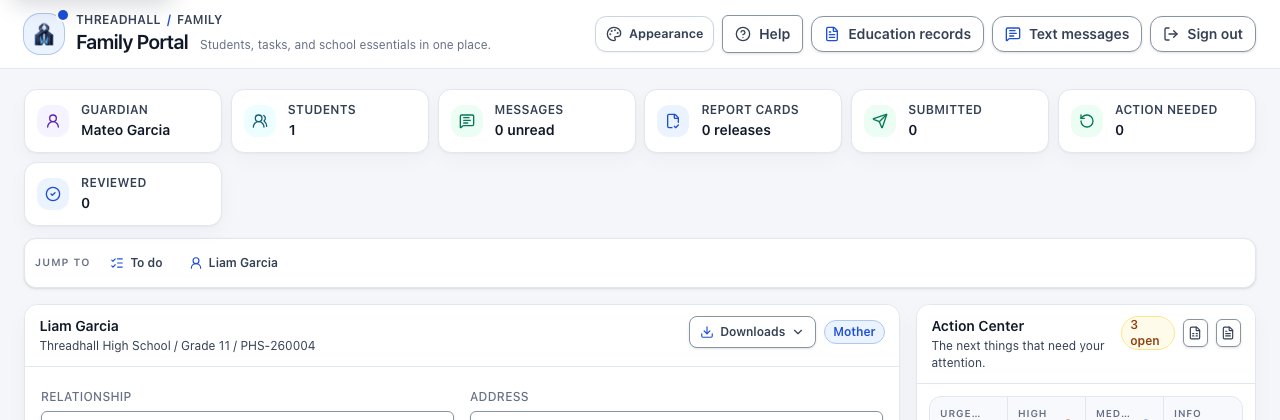
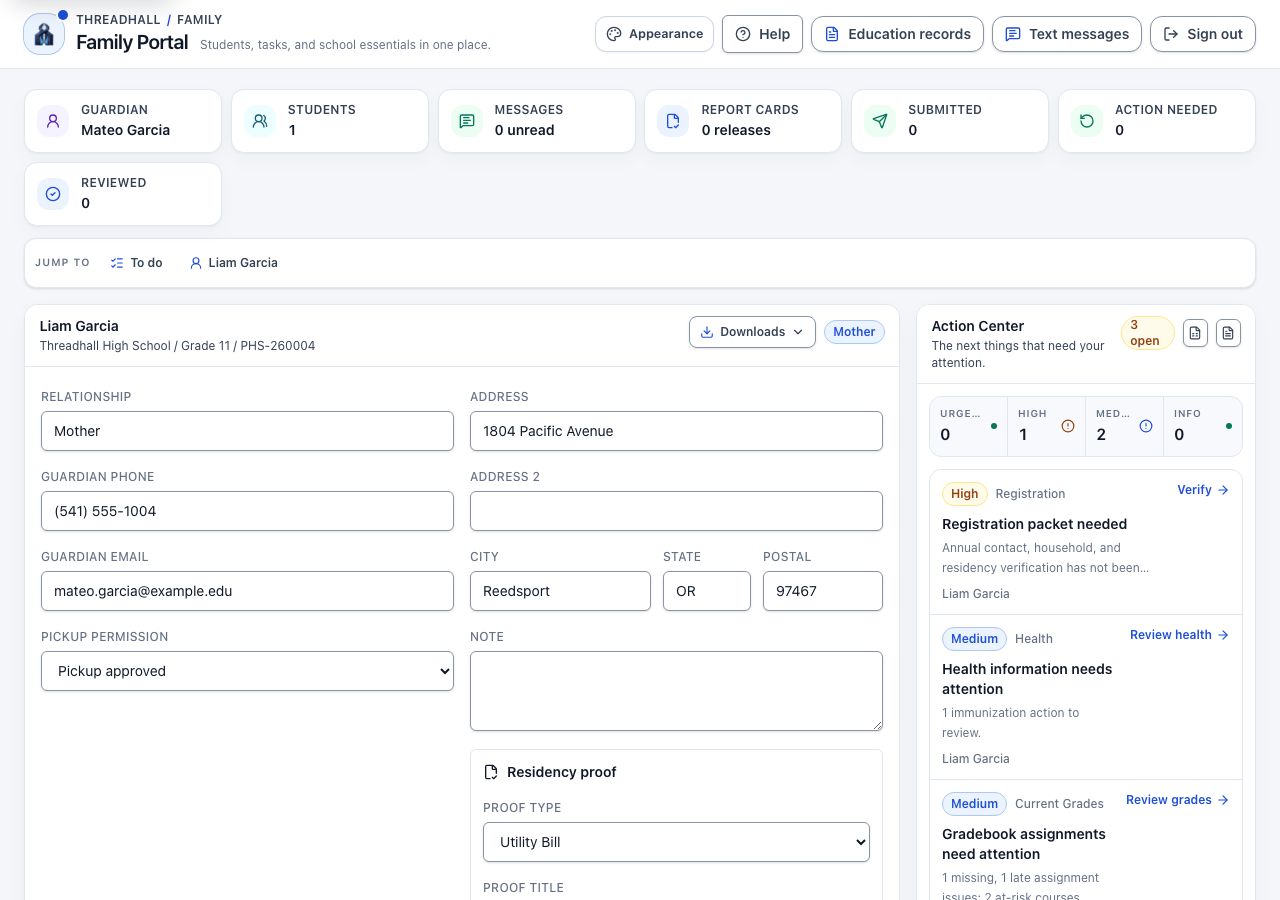
After signing in, the family portal home page (/portal) shows a "Text messages" link in the top bar. Selecting it opens /portal/account/notifications. Captured October 14, 2026 (UTC).
2. Enter a mobile number
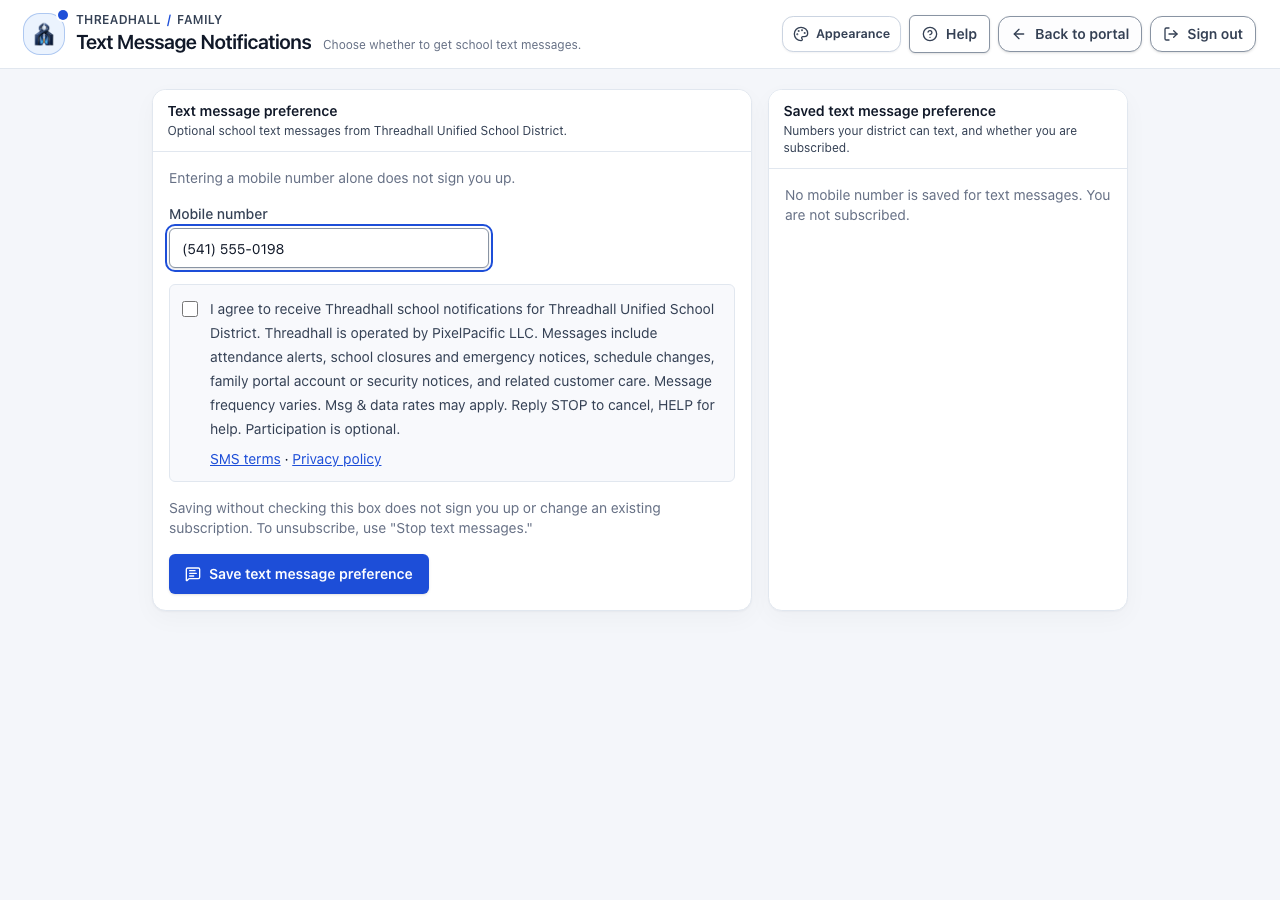
/portal/account/notifications is titled "Text Message Notifications". The guardian types a number into the "Mobile number" field. The page states that entering a number alone does not sign anyone up. Captured October 14, 2026 (UTC).
3. The consent box starts unchecked
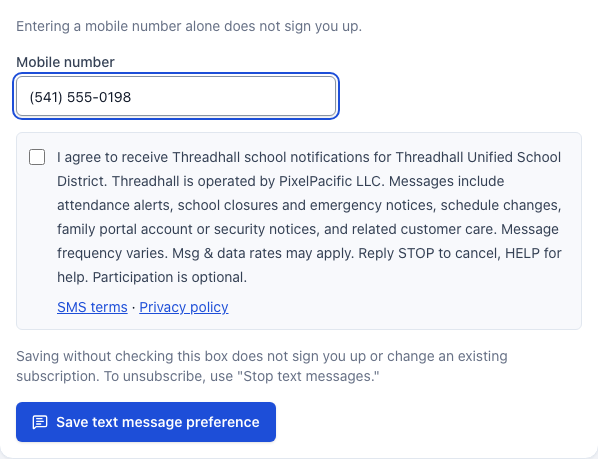
On /portal/account/notifications, the separate consent checkbox is unchecked by default, including when a number is already on file. The full disclosure is its label, with "SMS terms" and "Privacy policy" links directly below it. Captured October 14, 2026 (UTC).
4. The guardian checks the box and saves
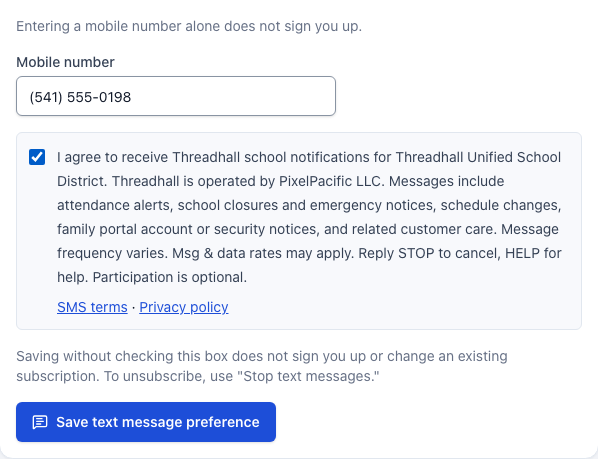
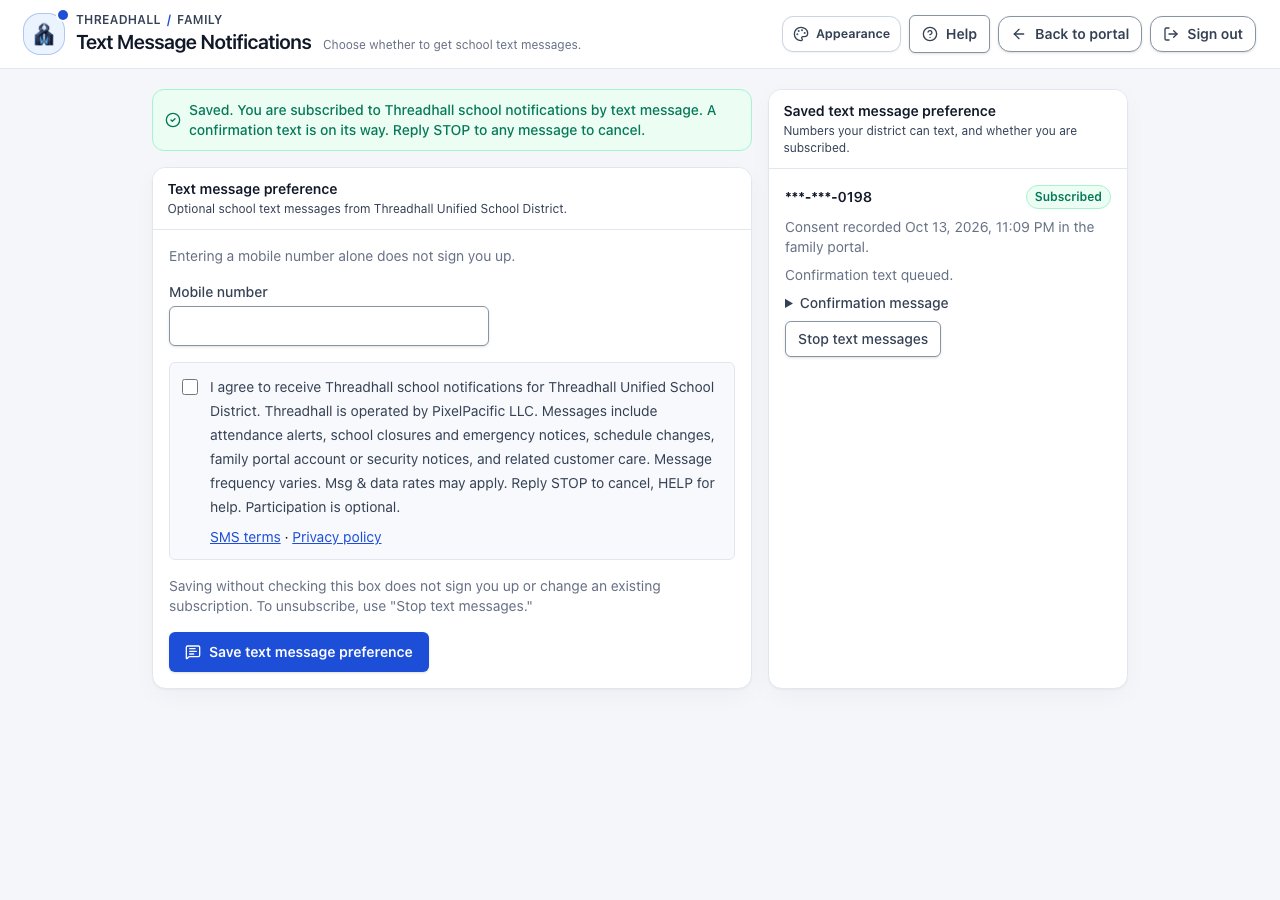
On /portal/account/notifications, the guardian checks the consent box and selects "Save text message preference". Saving without the check does not enroll the number or change an existing subscription. "Stop text messages" is the separate withdrawal control. Captured October 14, 2026 (UTC).
5. The saved preference and confirmation
After saving, /portal/account/notifications shows the guardian's subscribed number, consent time, and confirmation status. It says a confirmation text is on its way only when the text was queued through an active SMS provider. If no provider is active, the page plainly shows that the confirmation is waiting for the district's SMS setup. Captured October 14, 2026 (UTC).
6. The enrollment confirmation text
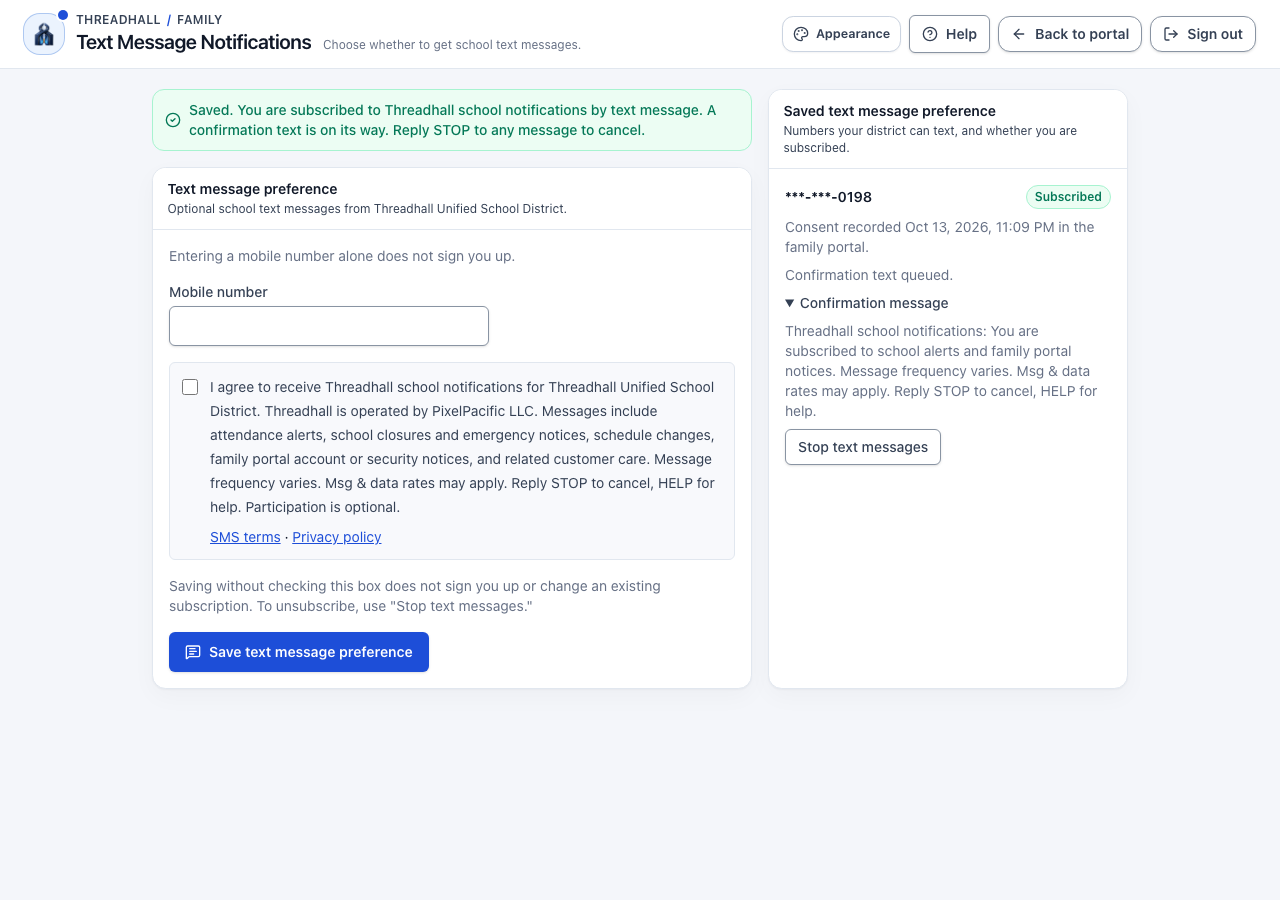
The "Confirmation message" details on /portal/account/notifications show the queued enrollment confirmation and the actual message text. A newly granted consent queues this message once; reloading or saving an already subscribed number does not send another confirmation. This screenshot does not confirm delivery. Tests use a local fake provider and no real SMS is sent. Captured October 14, 2026 (UTC).
7. Declining is allowed: saving without the check enrolls no one
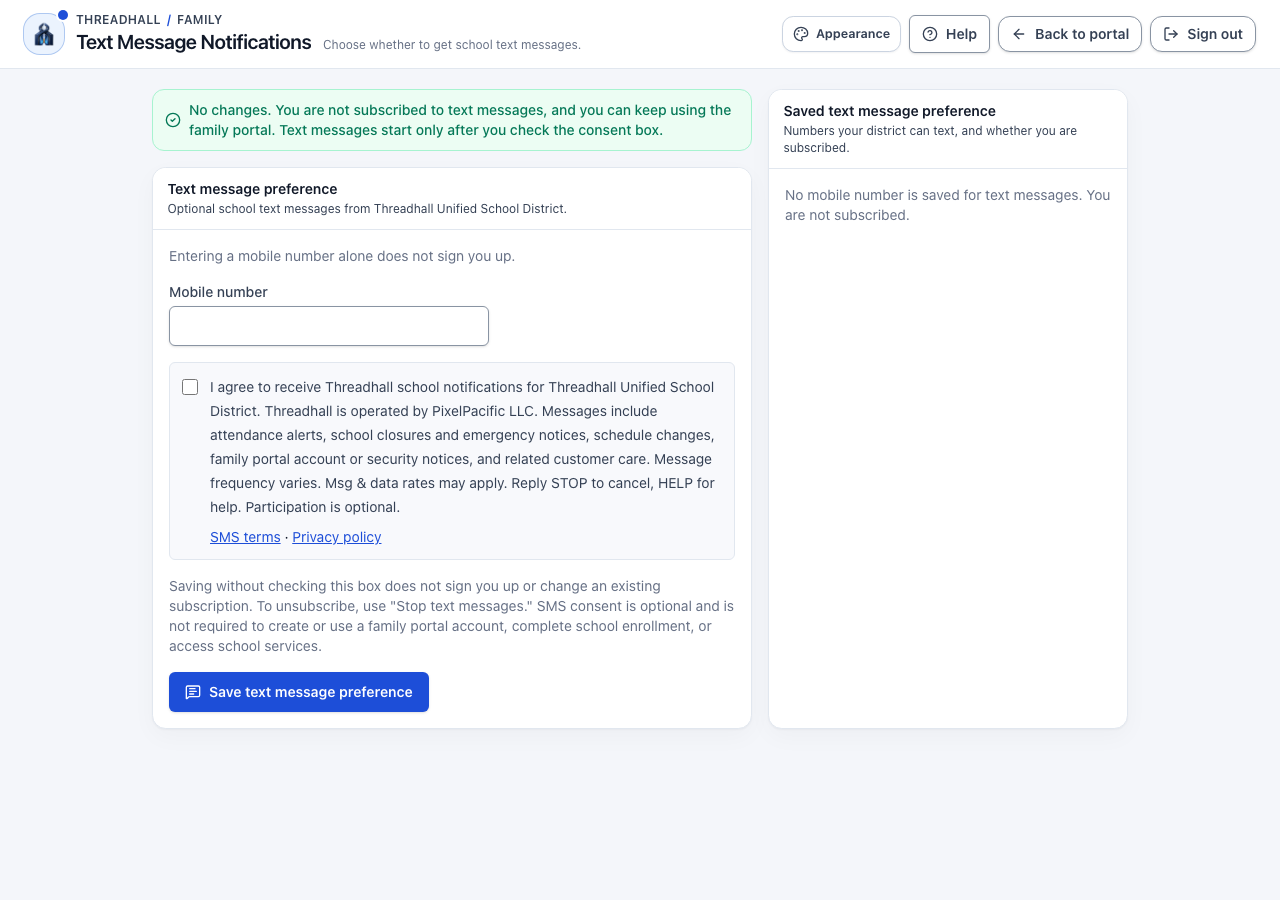
A guardian who has never subscribed enters a number on /portal/account/notifications and selects "Save text message preference" without checking the box. The page shows "No changes. You are not subscribed to text messages, and you can keep using the family portal. Text messages start only after you check the consent box." and "No mobile number is saved for text messages. You are not subscribed." This is not an error, and the guardian can keep using the portal. Captured October 14, 2026 (UTC).
8. The family portal works without SMS consent
The same guardian, still not subscribed to text messages, returns to the family portal home page (/portal) and has full access to their student's information and school services. SMS consent is never required to create or use a family portal account, complete school enrollment, or access school services. Captured October 14, 2026 (UTC).
When the district records consent for a family
A district gives the parent or guardian the public Threadhall SMS consent form v1 on paper, or uses its own web form with the same disclosure. The form identifies the district and asks for a separate affirmative consent checkbox, the parent or guardian's name, mobile number, signature, and date. Providing a number alone is not consent.
Authorized staff open Admin → Notification integrations (/admin/integrations/notifications), find the guardian's contact, choose Threadhall SMS consent form v1 or Other documented consent, and cite the completed form in the consent evidence reference. Staff also record the consent date and time. A new consent grant queues the same enrollment confirmation as a portal opt-in; the contact shows its delivery status. If the district has no active SMS provider, consent is saved and the confirmation remains visibly pending.